GeMarkt Blog · Practical guide
When We Crop a View and When We Keep the Whole Artwork
See how GeMarkt distinguishes editorial details, tighter room views and print proportions, with real examples and clear limits on what previews prove.

We sometimes show a detail of an artwork, but that does not mean we have changed the artwork used in a product illustration. A tighter room photograph, an explanatory detail and a proposed print layout are different decisions. Calling all three “cropping” makes a simple question unnecessarily difficult.
There is no useful list of painters whose work can always be cropped and painters whose work must never be cropped. The purpose and the particular composition matter. Here are the distinctions visible in our current articles and Monet product previews, checked in October 2026. They describe those examples, not an audit of every supplier file or a promise about every future product.
First name what is changing
An editorial detail directs attention to something the text discusses. A display crop changes the window through which a page shows an image. A print-layout crop removes part of the source from the proposed printed composition. Only the third necessarily changes which parts of the picture appear in that proposed print.
The distinction matters when a catalogue thumbnail looks closer than the product gallery. The thumbnail may simply show less surrounding room. It cannot tell you whether a print has lost its painted margins. To answer that, look for the full artwork and the selected-format preview, not just the most attractive cover image.
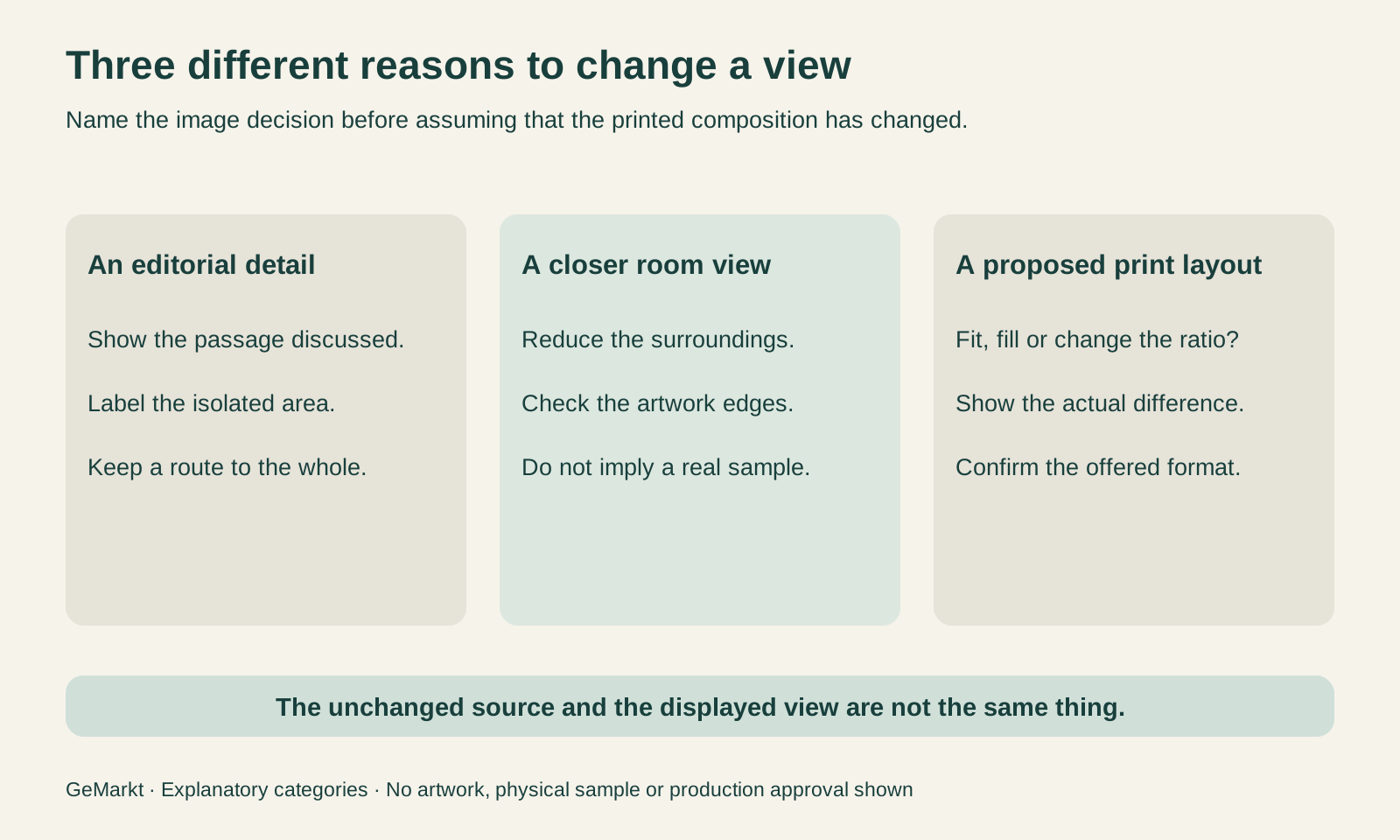
Keeping an unchanged source file is helpful, but insufficient by itself. The page still needs to explain what viewers are seeing. A hidden original cannot correct an ambiguous preview.
Crop a detail to explain it
Our Great Wave story pairs the complete print with labelled details of Fuji, the boats and other passages. Those closer views serve the discussion: a reader should not have to find a tiny mountain while being told why it matters. The complete image remains available, so the detail does not quietly become the whole work.
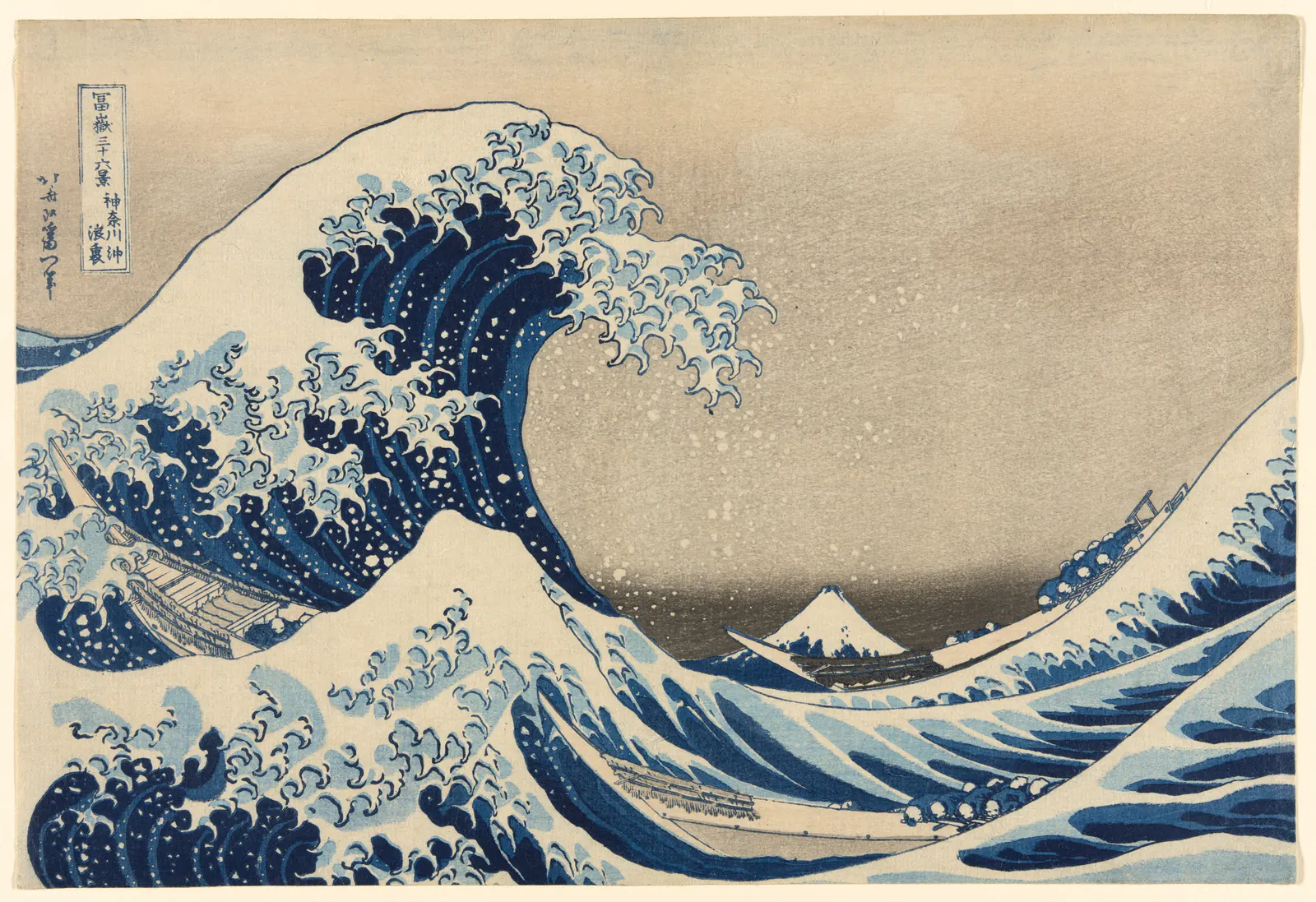
Look at the complete composition here before isolating a passage. The wave is enormous partly because the boats and distant mountain establish different scales. A detail containing only foam can be compelling, but it answers a different visual question. That observation is not a licence to sell the detail; rights and the intended use still need their own checks.
An explanatory caption should name what has been isolated. It should not call a detail the complete print or suggest it is a separately created Hokusai design.
Bring the room view closer without repainting the art
The documented room illustrations for Monet’s Woman with a Parasol took a different approach. The existing artwork was placed into room backgrounds at its own proportions. That compositing step did not crop, repaint or recolour the artwork. Our mockup guide explains why this still does not turn the scene into a photographed physical sample.
A later catalogue adjustment made the artwork more prominent by tightening the surrounding room view while retaining all four artwork edges. This is a useful response to a small-looking product card: reduce distracting surroundings before assuming the painting itself needs cutting.
The underlying room illustration and the wider gallery view serve different viewing distances. Neither demonstrates manufactured colour, surface texture or the exact appearance of a delivered frame. Preserving the inserted artwork establishes one thing precisely; it does not establish everything a buyer might infer from an attractive room.
Make the ratio choice visible
Some size problems cannot be solved by moving a camera closer. A rectangular source and a differently proportioned opening cannot both fill the same area and retain their original geometry without an additional decision.
Consider an illustrative landscape measuring 12 × 8 units, a 3:2 ratio, placed in a 12 × 15 opening, a 4:5 ratio. Fitting the whole image without distortion leaves seven units of spare height: 3.5 above and below if centred. Filling the opening without distortion instead scales the landscape to 22.5 × 15 and retains only 12 of its 22.5 units of width. About 46.7% of the width falls outside the opening.
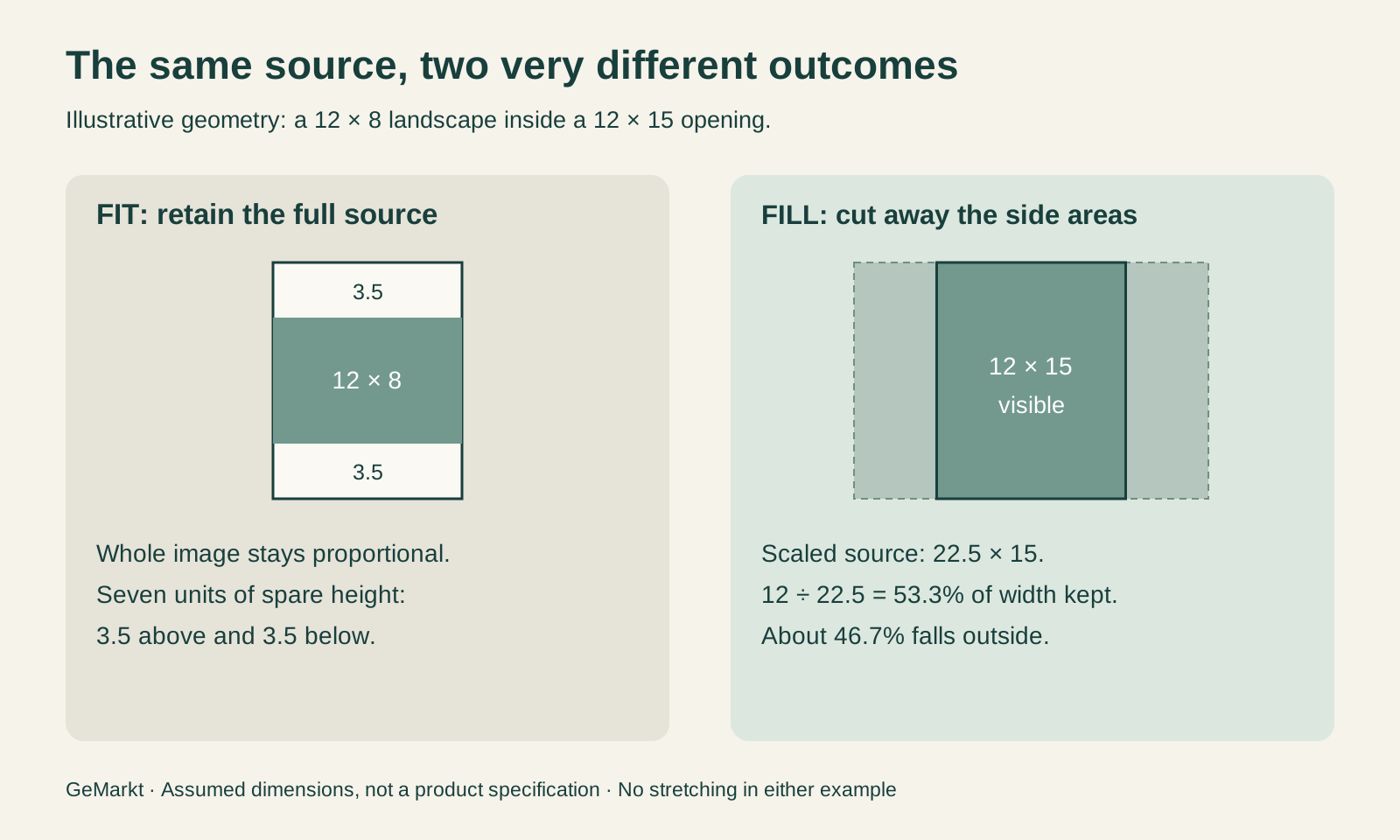
Those numbers explain why “fits this frame” is incomplete information. A border, custom size, deliberate detail and distorted image are not interchangeable solutions. The proportions guide helps separate artwork dimensions from standard frame labels.
Smart Zoom is not the same as cropping
The product-page proportion comparison currently has another option to understand. Its Smart Zoom illustration changes image geometry while retaining the image in view. Small ratio differences use a gentle whole-image stretch. Larger differences preserve a central band and distribute expansion towards the sides. That is not subject detection, a guarantee that every important feature stays undistorted, or the same operation as cutting the edges away.
The comparison labels the original as unchanged proportions and identifies the other view as a geometric illustration. Its scope excludes frame, border and canvas wrap. It is also separate from the selected supplier mockup and does not establish the production file for a particular order.
This is why a “closest proportions” marker must not become an “original ratio” claim. A small mismatch is still a mismatch. Compare faces, circles, lettering and recognisable objects against the original view; subtle stretching can matter even when it is less immediately noticeable than a missing edge.
Notice what a crop would remove
Before approving a proposed crop, ask what the missing area contributes. A signature is one obvious check, but not the only one. A small figure may establish scale; empty sky may supply breathing room; a hand may complete a gesture. Removing apparently unimportant background can change the relationship between the remaining subjects.
Typography deserves particular care in posters. A trim that leaves a pleasing image but cuts the destination or an outer letter is not merely a tighter version of the same design. Borders can also belong to the historical composition rather than being spare paper.
These are questions we recommend asking, not claims that we have conducted a physical proof test for every format. When the answer remains unclear, keep the full view and examine another layout. Our detail-print guide discusses when an intentional fragment can work on its own terms.
Ask for the right evidence before ordering
Check the chosen material and size, then distinguish three views: the artwork, the selected-format mockup and the styling scene. If one view is a detail, it should say so. If it stretches proportions, it should not be described as an unchanged composition. If the image is illustrative, it should not be offered as proof of a physical sample.
GeMarkt’s current product selection is a preview; the final purchase choices are made on Etsy. Do not assume a comparison setting transfers to the order. Where a border, crop or wrap matters, confirm the actual offered arrangement before purchasing.
The most useful principle is specific rather than absolute: preserve an identifiable source, show the proposed change honestly and label the result where the choice happens. “Never crop” is less helpful than knowing exactly what has changed, why it changed and what evidence still remains to be checked.
Editorial record
About this article
- Author
- Publisher
- GeMarkt
- Published
- Reviewed
- Internal source & rights check. Conducted by GeMarkt Research Review. This is an internal editorial check—not independent peer review.
- Source standard
- Blog source standardNames the editorial responsibility, keeps evidence close to material claims, and records meaningful revisions.
Found a claim that needs checking? Report a factual error.