GeMarkt Blog · Practical guide
Printing Art for Your Shop or Café Walls
Turn a shop or café wall plan into a clear print order: check files, finished dimensions, borders, materials, proofs and records before ordering a whole set.

Before ordering a set of prints for a shop or café, settle the exact image, printed size, finished frame size and proof. A beautiful download and a measured wall are not yet a printing specification. Most avoidable confusion happens between those two things.
This guide is for commissioning reproductions, whether you supply a permitted file to a local printer or buy finished prints. It does not assume that your business needs a matching set, a particular paper or a large budget. The aim is a small, repeatable order that everyone understands before money is committed.
Turn the wall plan into an order
Give each intended location a simple name: seating wall, entrance alcove, rear display. Record the space available and the maximum outside dimensions you have chosen after checking the premises. A supplier needs to know whether “60 × 80 cm” means the printed image, paper sheet or complete frame.
For an illustrative 250 cm-wide wall, three frames each 60 cm wide with two 12 cm gaps occupy 204 cm. Centring that group leaves 23 cm on either side. This is arithmetic, not a recommended spacing rule or evidence that the wall can support the objects. Make full-size templates of the outer frames before confirming the arrangement.
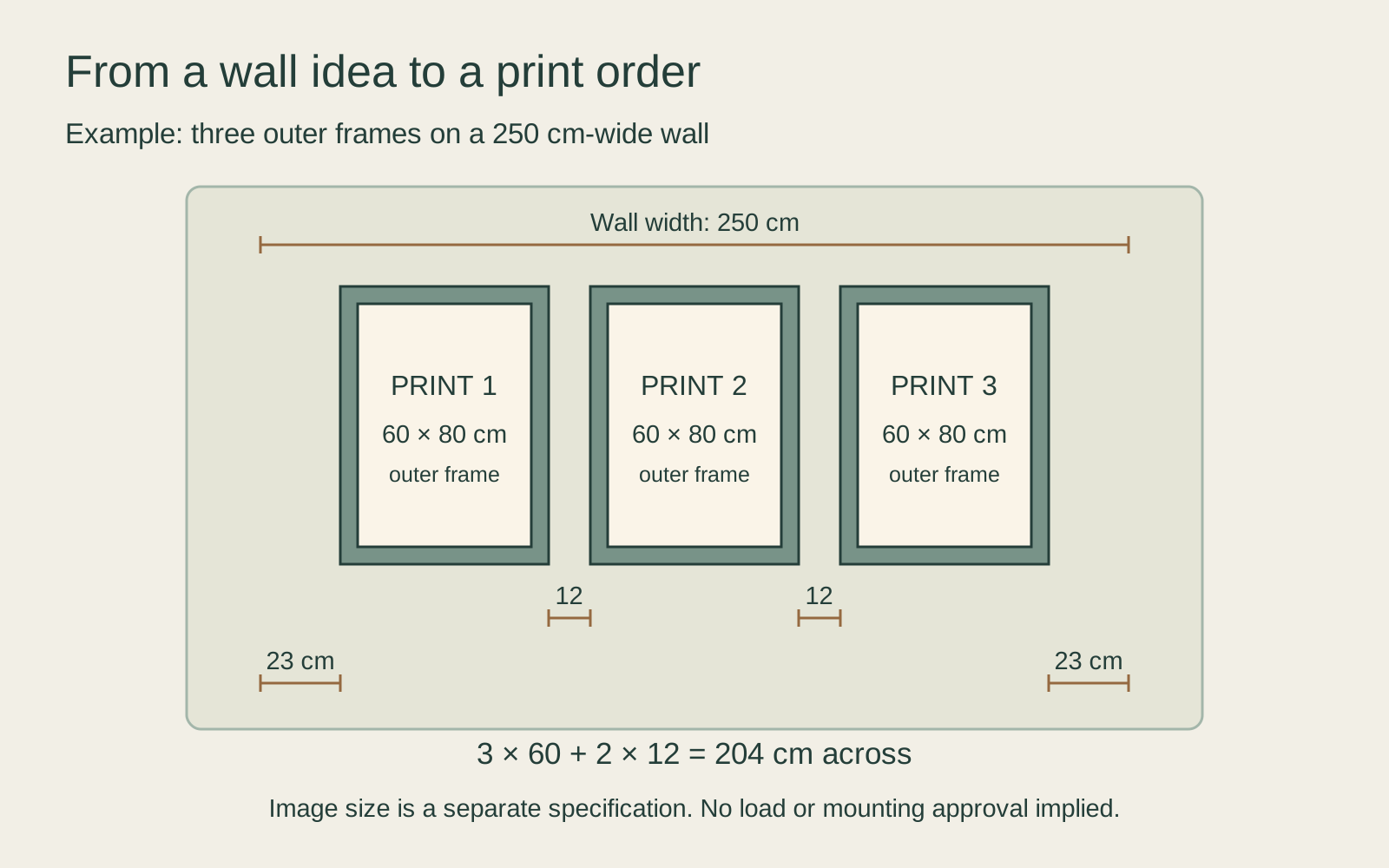
List the pictures separately, even if all three frames match. “Three botanical prints” leaves too much room for substitutions. A small reference image, exact title and your own order label make it easier to pair the right file with the right position. For the earlier choice of location and subject, see art for shared business spaces.
Choose a file you can actually use
Start with the original download and its source record, not a screenshot or a picture saved from a shop listing. Check that it depicts the intended artwork, edition or impression. Inspect all four edges, inscriptions and any blank paper that belongs to the supplied image.
Keep the reuse terms with the file. For example, The Met’s Open Access programme makes designated public-domain images available under CC0; that does not make every museum webpage image interchangeable. With a licensed download, confirm the proposed copies, business setting and sharing with the printer. Our business-use guide separates these questions from simply hanging a purchased print.
Then ask who is doing the preparation. If you supply a ready file, does the printer reproduce it as supplied, or automatically crop and adjust it? If the seller supplies the image, ask for a flat preview of the actual print rather than relying on a styled room scene. Put any requested alteration in writing.
Calculate the printed image not the frame
The useful starting figures are the file’s pixel dimensions and the physical dimensions of the printed image. In Adobe’s image-size controls, resolution describes pixels per inch, while resampling adds or removes pixels. Changing a number labelled “resolution” is not evidence that the source contains more recorded detail.
A 3000 × 4000 pixel file printed at 30 × 40 cm supplies 254 pixels per inch. At 60 × 80 cm, the same pixels supply 127 pixels per inch. Those calculations describe two output sizes, not two quality certificates. Ask the provider what is suitable for its process, material and your expected viewing distance; do not invent a universal pass mark.
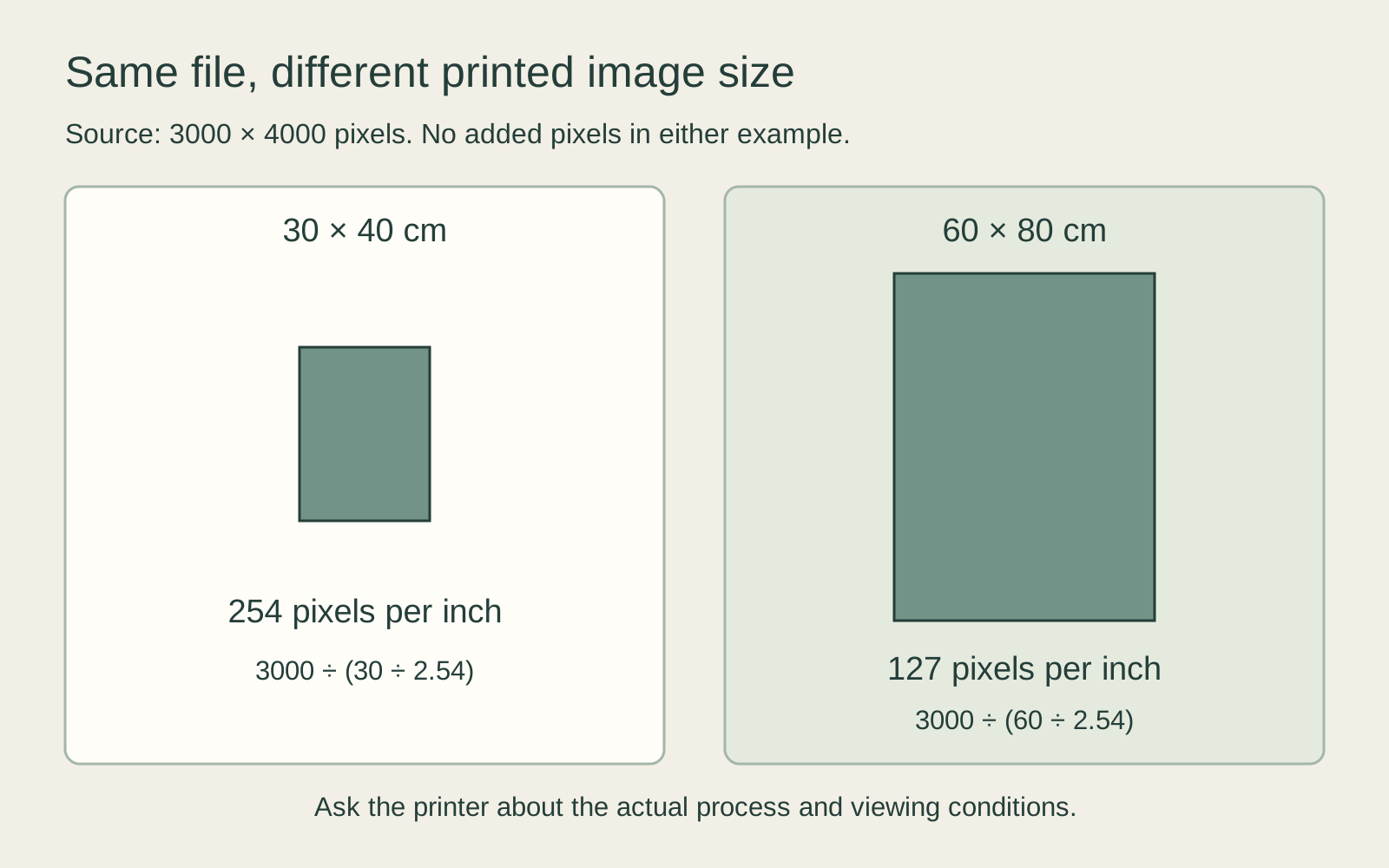
Check the actual file as well as the calculation. Blurred lettering, compression damage or an earlier crude enlargement will not disappear because the dimensions look adequate. A smaller print or a better permitted source may be preferable to enlarging the problem. For the underlying method, use the resolution and print-size guide.
Agree the border before the proof
A white border can be part of the printed sheet, exposed mounting board around it, or blank space already present in the source. These are different things. Specify which one you want and whether the quoted size includes it.
If your file is 3:4 and the chosen image opening is also 3:4, they can match geometrically without cropping. A different opening needs a decision: retain the full image with space around it, select a deliberate detail, or change the opening. Do not leave that choice to an automatic “fill” setting without looking at the result.
Ask the framer how much the mount or frame will overlap the paper. A print that technically fits can still lose lettering near an edge. Mark important text and image boundaries on the approval preview, and ask for confirmation that they will remain visible in the finished assembly.
Specify materials without quality slogans
Request the named paper or canvas, surface finish, printing process and any enclosure. “Premium” and “museum quality” are not enough to compare two quotations. Ask what is included in the price: printing, mounting, frame, glazing, packing and installation may be separate items.
For colour, follow the provider’s requested file format and colour-profile instructions. Do not convert everything to CMYK simply because it will be printed. The International Color Consortium explains that reproduction depends on devices, media and viewing conditions; a profile is not a promise that a bright screen and a café wall will look identical.
Compare a sample under the lights used in the room. Look at dark detail and pale areas, then move to where customers will sit or stand. Check reflections through the proposed glazing too. These are practical observations to make yourself, not tests GeMarkt claims to have performed for your order.
Approve one representative print
Before multiplying an unfamiliar combination across a venue, ask whether a representative proof or first print is available and what it costs. Use the intended material and preparation settings. A small proof can show colour and surface, but cannot by itself settle the impact of a much larger composition.
Agree what approval covers. Check the file version, image dimensions, border, visible edges, material and colour treatment. Photographing a proof can help keep a record, but do not use a phone photograph as the sole colour reference for a later batch.
State quantities unambiguously. If the finished job needs three prints and the approved first print will be one of them, the remaining order is two, not three more. If the proof is a different size or material, record that it is an extra. Include an agreed response to visible damage, an incorrect crop or a substituted material before approving the balance.
Plan the installed object and its care
Have the responsible premises professional assess the complete assembly, wall, fixings and applicable access and safety requirements. A flat layout cannot establish load capacity or the suitability of a projecting frame. Agree installation responsibilities and any landlord permission before delivery.
Place paper prints away from direct sunlight, heat and persistent damp. The Canadian Conservation Institute explains that light damage is irreversible and that heat and high humidity can damage paper. Glazing does not make an unsuitable location harmless. Keep displays away from splashes and cleaning routines that conflict with their supplied care instructions.
For a valuable original, ordinary decorative-print decisions are not sufficient. The Library of Congress recommends a reproduction as an alternative to prolonged display of valuable paper collections. Ask an appropriate conservation professional about the original rather than experimenting with it in a busy working room.
Keep a record for the next order
Save the approved file and preview, source and terms, material name, dimensions, quantity, proof decision and supplier correspondence together. Include the installation and care information. A future staff member should be able to reorder the intended object without guessing from a faded photograph.
Recheck before extending the display to another branch. A different wall, light source or printer can require another decision even when the artwork stays the same. A good first order leaves you with more than attractive pictures: it leaves a clear specification you can repeat or deliberately change.
Editorial record
About this article
- Author
- Publisher
- GeMarkt
- Published
- Reviewed
- Internal source & rights check. Conducted by GeMarkt Research Review. This is an internal editorial check—not independent peer review.
- Source standard
- Buying guide source standardSeparates measured or first-hand evidence from general guidance and keeps practical limits visible.
Found a claim that needs checking? Report a factual error.