GeMarkt Blog · Reference
How to Check a Wikimedia Commons File Before Reuse
Check the artwork, source, licence and exact download before reusing a Commons image. A practical guide to credits, PD-Art and warning signs.

Many Wikimedia Commons images can be reused, including commercially, but check the individual file rather than treating the website’s name as permission. Identify what the picture shows, follow its source, read the relevant image terms and keep the record with your download.
This is a manageable job. You are not trying to become an expert on the whole collection. You are answering one question about one file for one intended use: a blog illustration, a print, a presentation or another specific project. If the evidence conflicts, choosing a better-documented file is often more useful than guessing.
Start with the file page
Open the image’s description page on commons.wikimedia.org. A picture visible in a Wikipedia article is not necessarily hosted on Commons: Wikipedia can also contain locally hosted material under different rules. Commons’ own reuse guide explains how to reach the file information and original download.
Do not stop at an image-search preview. That preview may show a title and a large picture while omitting the author, source and conditions. A browser’s “save image” command can also save the small preview you happened to open rather than the original.
The useful page is the one that connects the picture to its evidence. If you cannot find that connection, keep looking before building your design around the image.
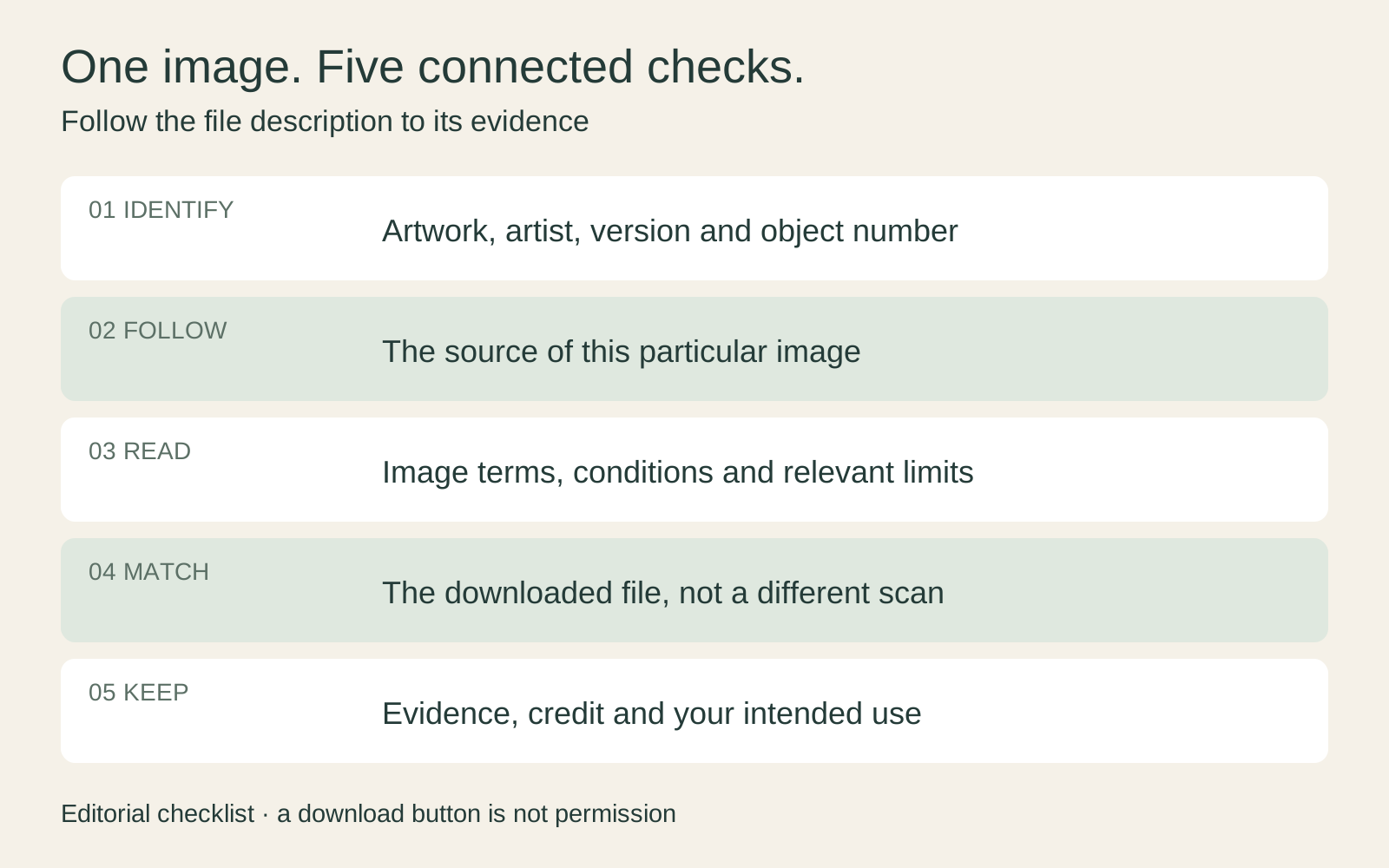
Match the picture to its source
Read the artist, title, date and collection information. For paintings with several versions, compare the actual composition, not just the name. For prints, look for the particular museum sheet or accession number. For a book illustration, identify the edition and plate.
Then follow the source link. Ideally it leads to an institution’s object record, a digitised volume or the photographer’s own page. Compare the image there: are the edges, inscriptions and colours recognisably the same? A source that opens an unrelated picture needs investigation.
Keep three people distinct: the artist who made the object, the photographer or scanner where identified, and the person who uploaded the file. They are not automatically the same. Commons’ reuse guidance specifically warns that the uploader is not necessarily the creator to credit.
A practical example: if your selected picture is a photograph of a framed painting in a gallery, a source page showing only a flat reproduction does not fully explain the photograph you downloaded. You need evidence for that particular image, not merely the painting it contains.
Read the image’s actual terms
Look for the file’s copyright or licensing section and follow the linked statement. A Creative Commons licence, a public-domain assessment and a museum’s permission are not interchangeable.
For example, CC BY-SA 4.0 permits commercial sharing and adaptation subject to conditions, including appropriate attribution, a licence link and indicating changes. Adapted material must be shared under the same or a compatible licence; other rights can still matter. Read the actual version attached to your file rather than substituting a different CC licence.
Our guide to CC0, Public Domain Mark and museum licences explains the other common labels. Do not remove a required credit just because you would prefer a cleaner layout.
The licence in the website footer may concern page text or metadata rather than the photograph. Commons’ licensing policy distinguishes these layers. Your task is to find the statement attached to the media file itself.
Keep the painting and photograph separate
An old painting and a modern photograph of it raise different questions. First identify the underlying artwork. Then consider the exact reproduction.
Commons uses PD-Art for certain faithful reproductions of two-dimensional public-domain works. Its PD-Art guidance explains the platform’s position and distinguishes flat reproductions from photographs of three-dimensional objects. A sculpture photographed with chosen lighting and viewpoint is not automatically covered by the same reasoning.
PD-Art is therefore not a general “anything in a museum is free” badge, nor a guarantee that every country treats the photograph identically. Read the accompanying explanations and identify the country and use relevant to you.
For a simple illustration, you may find a clearly documented institutional open-access file that avoids uncertainty about a visitor’s photograph. For merchandise or a disputed image, a meaningful conflict deserves clarification or qualified advice before use. This guide does not provide individual legal clearance.
Understand what a review confirms
Some file pages contain a licence-review notice. Commons’ review process checks information such as the external source, author and licence, including material from services where the displayed licence can later change. Reviews can be performed by approved users or bots.
That is useful evidence with a defined scope. It is not a promise that a lawyer examined your proposed use, or that the uploader held every right they claimed. A record marked as needing review is also not the same as a completed review.
If a source now displays different terms, note both records and the dates. Do not silently choose whichever sentence suits your project. Commons’ general disclaimer makes clear that it does not guarantee the validity of all information. A well-supported file can be useful without turning the platform into an insurer.
Download the file you checked
Use the original-file link when you need the largest available version, then check its dimensions and appearance. Revisit the evidence if you switch to another upload: an alternative scan may have a different source, crop or rights statement.
Keep the original download unchanged and make your working edits in a copy. That is a practical recommendation, not a universal legal requirement. It helps you distinguish a supplied defect from something introduced during editing.
Look closely for clipped signatures, missing margins, colour casts and obvious compression. A technically usable image can still be a poor reproduction. Conversely, a beautiful thumbnail may be too small for your intended print. Our high-resolution art guide separates those quality checks from permission.
Make a decision and keep the evidence
End with one of three useful outcomes:
- Proceed: the artwork, source, file and terms match, and the conditions fit the intended use.
- Choose another file: this version is too small, poorly documented or awkwardly restricted for the job.
- Pause and clarify: a material contradiction or missing right remains.
Save the file-page URL, original source, relevant terms, access date and any required credit with the download. Add a note about your intended use and changes. Another person should be able to follow the reasoning without repeating the entire search.
For a caption that names the artwork and image source clearly, see how to credit a public-domain artwork. The aim is a traceable, proportionate decision—not an impressive collection of badges that refer to different pictures.
Editorial record
About this article
- Author
- Publisher
- GeMarkt
- Published
- Reviewed
- Internal source & rights check. Conducted by GeMarkt Research Review. This is an internal editorial check—not independent peer review.
- Source standard
- Rights guide source standardSeparates the underlying work from the source file, records the review date, and links the evidence used for the conclusion.
Found a claim that needs checking? Report a factual error.