GeMarkt Blog · Essay
Upscaling Old Art: Where It Helps and Where It Misleads
Understand when enlargement can help an art file, what it cannot recover, and how to assess lines, faces, lettering and output without inventing historical detail.

Upscaling can make a small art file easier to use at a larger output size, but it cannot establish details the source never recorded. Cleaner-looking edges may be useful for a reproduction. Newly plausible brushwork, lettering or facial features are a different matter: they must not become evidence of what the artist made.
For GeMarkt, that distinction follows our editorial standards: an image used to explain an artwork must remain accountable to its source. This is a guide to assessing enlargement, not a report of a deployed GeMarkt upscaling system or a claim that physical print tests have been performed. The numerical examples and drawings below are explanations, not before-and-after test results.
Separate more pixels from more information
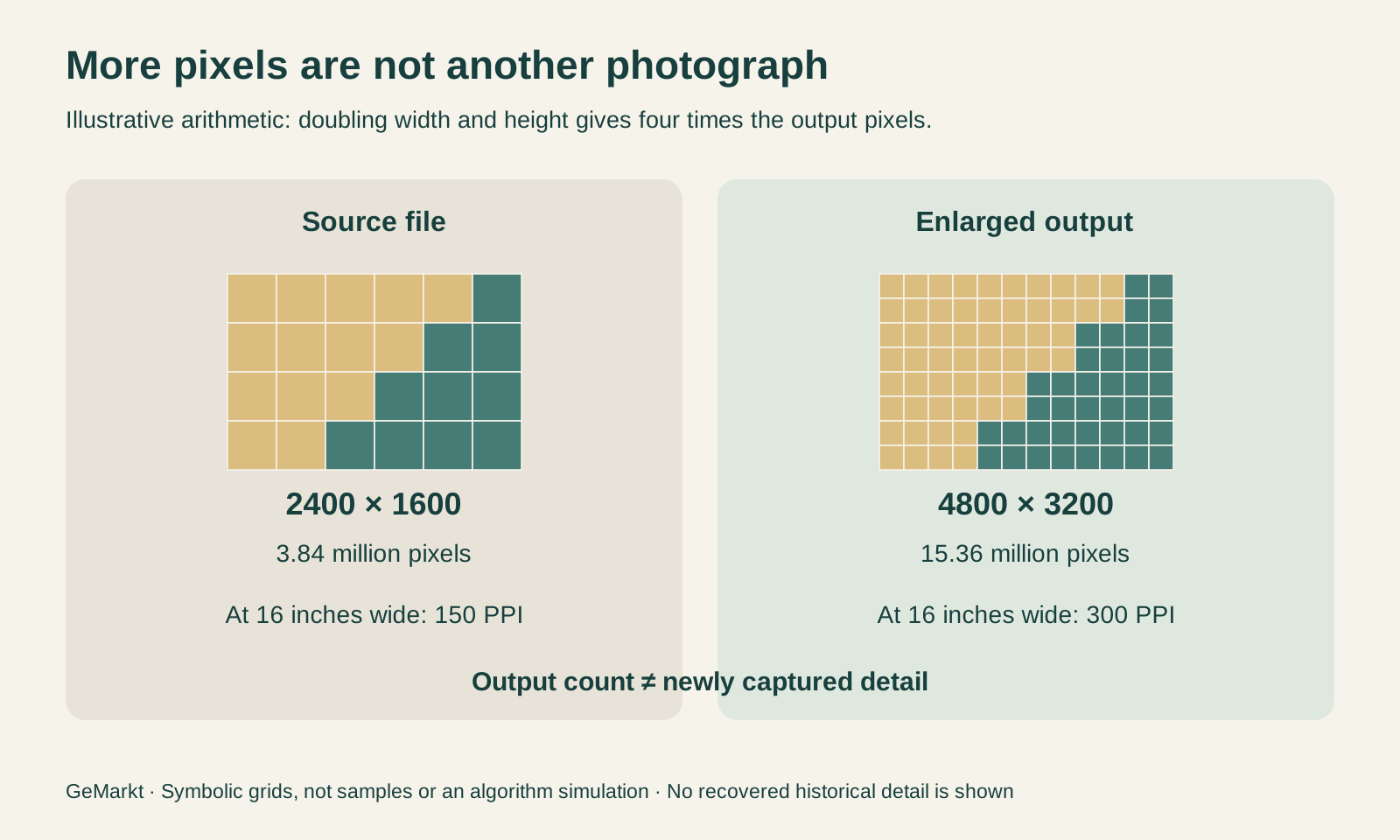
A hypothetical 2400 × 1600 pixel file contains 3,840,000 pixels. Enlarging it to 4800 × 3200 produces 15,360,000 pixels: twice the width, twice the height and four times the total count. The second file is bigger, but no additional photograph of the artwork has been taken.
At a chosen print width of 16 inches, the first file supplies 150 image pixels per inch and the enlarged file supplies 300. Those are correct density calculations, not equivalent evidence of captured detail. The newly calculated pixels must not be confused with a genuine source photograph that originally recorded 4800 pixels across.
Changing a resolution label without resampling is different again: it changes the relationship between pixels and physical size, not the number of pixels. Adobe’s explanation of image size and resampling makes this distinction. Our resolution and print-size guide covers the calculation when you are choosing dimensions for a particular picture.
Choose the source before the upscaler
Before processing, ask whether you have the best suitable, permitted source. A search thumbnail, a screenshot or a heavily compressed repost may be several steps removed from an institution’s supplied image. Finding that original download can be more valuable than increasing the dimensions of the poor copy.
Confirm the exact work as well. A sharper photograph of another version is not an improved source for your version. Keep any inscription, border or part of the composition that the discussion needs. If the file is a crop, record that before comparing its dimensions with a full image.
Source defects can survive enlargement. Adobe’s technical account of Super Resolution recommends starting with a clean source and warns that compression artefacts can become more visible. An enlarged pattern of blocks is still a pattern of blocks. A change in processing cannot repair an unidentified source or supply missing permission.
Sometimes the reasonable answer is a smaller reproduction. That may preserve the relationship between the marks better than a dramatic enlargement. A file need not be made suitable for every conceivable size to be useful.
Distinguish interpolation from learned estimation
Conventional interpolation calculates new pixel values from the available ones. Different methods handle edges and transitions differently. Adobe’s resampling-options guide distinguishes, for example, bicubic smoothing from nearest-neighbour enlargement, which keeps a blockier edge. There is no reason to expect every method to suit both a soft wash and a sharply printed title.
Learned enlargement uses patterns acquired through training as well as the input image. Adobe describes its Super Resolution model as trained on paired low- and high-resolution photographic patches. Its current Camera Raw documentation says the feature doubles each dimension. These are descriptions of that product, not a claim that GeMarkt has tested it on a collection of paintings.
The editorial consequence is the same regardless of the tool: a plausible result is not independent historical evidence. A model’s experience of other pictures cannot confirm which tiny mark belonged to this painting. That is particularly important when an article asks readers to examine a signature, an engraved line or a face rather than merely enjoy a broad composition.
Inspect the details that carry meaning
Judge an output against the source, not just against a softened “before” thumbnail. For an old poster, check letters, punctuation and borders. For a portrait, compare the shape of an eye and the meeting of lips. For an engraving, follow several parallel lines through the same area in both files.
These are inspection priorities, not claims that every upscaler makes the same mistakes. Reject an output if lettering changes, separate marks merge or new marks appear where the source cannot support them. If a result requires guessing what the inscription ought to say, it is no longer a faithful enlargement of that inscription.
Also examine quiet areas. Smoothing can be attractive while concealing the texture you wanted to study; sharpening can make an edge conspicuous without making it better evidenced. Do not infer that a visible crack or uneven tone is a scanning defect just because removing it makes the image cleaner. A source photograph records an object in a particular condition.
For colour, apparent sharpness supplies no validation at all. The Met’s discussion of colour fidelity describes measured photographic practice. An attractive enlargement on an ordinary display is not that measurement and does not establish the artist’s intended colours.
Compare at the same output size
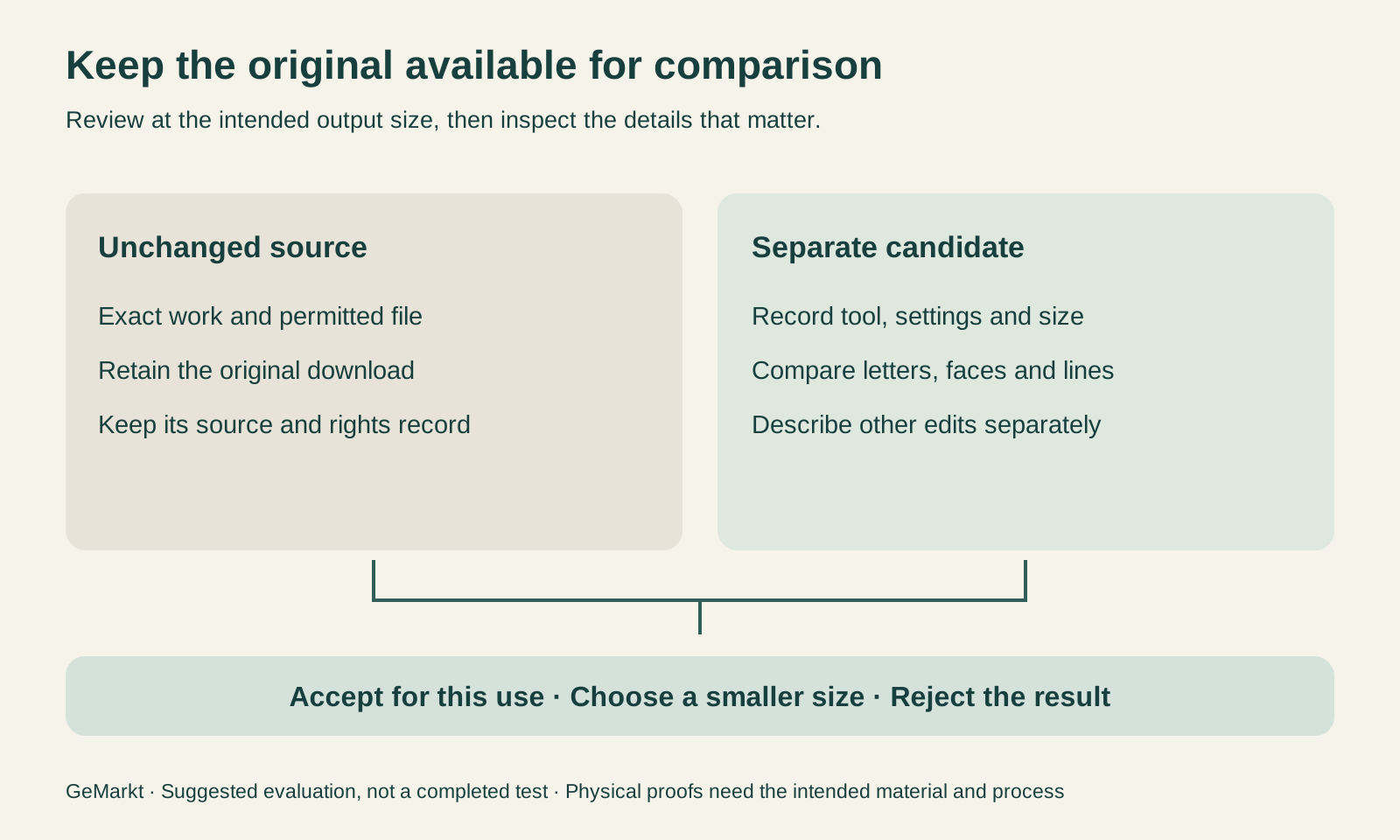
Set the source and the candidate enlargement to the same intended display or print dimensions when judging usefulness. A huge “after” next to a tiny “before” is a demonstration of layout, not a fair comparison of detail. Separately, inspect the files’ pixels closely to locate alterations.
For a physical reproduction, request a representative proof at the final scale, using the intended material and printing process. A small print of the entire picture can hide the weaknesses that become distracting on a large one. Include difficult detail as well as an area with a gradual tonal transition. This is a proposed evaluation step, not a statement that GeMarkt has printed the hypothetical example.
Make the changes traceable
Retain the untouched source and save the processed result separately. Record the tool, settings, resulting dimensions and any other changes, including a crop or colour adjustment. Without that separation, a later editor may treat an enlarged derivative as the institution’s original download.
The public description should explain changes that affect interpretation. “Enlarged for this reproduction” says something specific. “Restored to the artist’s original vision” asserts far more and would need evidence beyond an export command. Research-led reconstruction, creative reinterpretation and ordinary reproduction are different promises.
A source credit also continues to matter after processing. Enlarging a file does not remove the conditions attached to it. If an alteration is substantial enough that the picture no longer represents the object faithfully, it should not serve as an unqualified illustration in an art-history explanation.
Choose the smallest intervention that solves the problem
Start with a documented file, decide what the image needs to do and test a limited change only if there is a real shortfall. Accept the result for that purpose only when the comparison supports it. Otherwise choose a better source, reduce the output size or decline the enlargement.
The useful question is not “Can this become twice as big?” Almost any image can. It is whether the larger version remains a trustworthy and usable representation. More pixels can help a printing workflow; they cannot turn an uncertain visual guess into a recovered part of art history.
Editorial record
About this article
- Author
- Publisher
- GeMarkt
- Published
- Reviewed
- Internal source & rights check. Conducted by GeMarkt Research Review. This is an internal editorial check—not independent peer review.
- Source standard
- Blog source standardNames the editorial responsibility, keeps evidence close to material claims, and records meaningful revisions.
Found a claim that needs checking? Report a factual error.